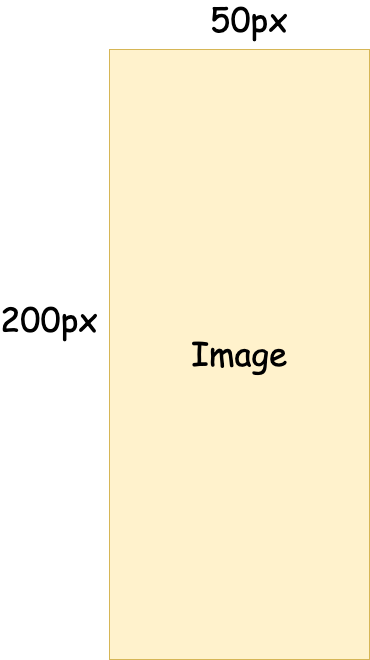
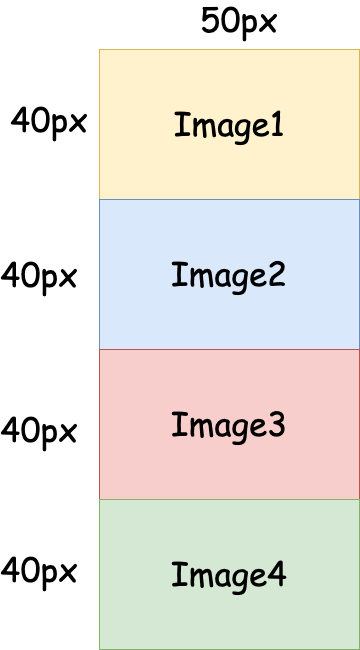
由于目前业务需要对图片进行渲染优化相关的工作,现阶段准备从网络请求角度入手,主要的解决思路是将较大的图片在上传前在前端裁剪为多段后上传。最终显示时可以按照裁切的顺序进行逐个加载,或者懒加载,如此一来,首屏等待时间大大减少。
裁切前
裁切后
借助Canvas实现的支持裁切和合并的CropableImage类
这里自己写了一个可裁切图片的工具类,目前支持水平裁切与水平合并,基本解决文章开头所提到的需求。
class CropableImage {
    /**
     * 根据图片Src生成ImageElement
     * @param src 图片src
     */
    static loadImage(src: string | Blob): Promise<HTMLImageElement> {
        let availableSrc: string = '';
        if (typeof src !== 'string') {
            availableSrc = URL.createObjectURL(src);
        } else {
            availableSrc = src;
        }
        const image = new Image();
        image.src = availableSrc;
        return new Promise((resolve, reject) => {
            image.onload = () => {
                resolve(image);
            };
            image.onerror = reject;
        });
    }

    /**
     * 实现图片按照指定高度进行裁剪
     * @param imageSrc 要裁剪图片的Src
     * @param clipHeight 要裁剪的高度
     */
    static async clipImage(imageSrc:string, clipHeight: number): Promise<string []> {
        const imageEl = await this.loadImage(imageSrc);
        const { height } = imageEl;
        if (height <= clipHeight) { return [ imageSrc ]; } // 返回原来的图片

        const slice = Math.ceil(height / clipHeight);
        const imageList = [];
        for (let index = 0; index < slice - 1; index += 1) {
            const currentDy = index * clipHeight;
            const currentImageBase64 = this.generateCanvas(imageEl, currentDy, clipHeight);
            imageList.push(currentImageBase64);
        }
        const compute = height % clipHeight;
        const lastClipImageHeight = compute > 0 ? compute : clipHeight;
        const lastImageBase64 = this.generateCanvas(imageEl, clipHeight * (slice - 1), lastClipImageHeight);
        imageList.push(lastImageBase64);
        return imageList;
    }

    /**
     * 从图片中截取一段指定高度的图片
     * @param imageEl ImageElement
     * @param dy 裁切时开始的图片y轴相对位置
     * @param height // 裁切时高度
     */
    static generateCanvas(imageEl: HTMLImageElement, dy:number, clipHeight:number) {
        window.console.log('dy:' + dy + ', height: ' + clipHeight);
        const { width } = imageEl;
        const canvas = document.createElement('canvas');
        canvas.setAttribute('width', width + 'px');
        canvas.setAttribute('height', clipHeight + 'px');
        const ctx = canvas.getContext('2d');
        if (!ctx) { throw Error('CanvasRenderingContext2D was undifined!'); }
        ctx.drawImage(imageEl, 0, dy, width, clipHeight, 0, 0, width, clipHeight);
        return canvas.toDataURL('image/png');
    }

    /**
      * 按照给定的顺序合成为一张图片(宽度要一致)
      * @param imageList 要合并的图片列表,src或者blob数据
      */
    static async mergeImage(imageList: (string | Blob)[]) {
        if (imageList.length < 1) { throw Error('imageList Not in accordance with the rules'); }
        let [ maxWeight, maxHeight ] = [ 0, 0 ];
        const imageElList: HTMLImageElement [] = [];


        await Promise.all(imageList.map((imageSrc, index) => (async () => {
            const imageEl = await this.loadImage(imageSrc);
            window.console.log('sdf');
            const { width, height } = imageEl;
            if (width > maxWeight) { maxWeight = width; }
            maxHeight += height;
            imageElList[index] = imageEl;
        })()));

        const canvas = document.createElement('canvas');
        canvas.setAttribute('width', maxWeight + 'px');
        canvas.setAttribute('height', maxHeight + 'px');
        const ctx = canvas.getContext('2d');
        if (!ctx) { throw Error('CanvasRenderingContext2D was undifined!'); }

        let currentHeight = 0;
        imageElList.forEach(imageEl => {
            const { width, height } = imageEl;
            ctx.drawImage(imageEl, 0, 0, width, height, 0, currentHeight, width, height);
            currentHeight += height;
        });

        return canvas.toDataURL('image/png');
    }
}